Blogs

Add the best talent on the market, an agile skilled management & seamless involvement.

Blog Main Image
Tips to Keep Social Media Safe
Cyber Security Digital Marketing

Is Your Social Media Account Hacked? 5 Tips to Keep Social Media Safe

branex-logo Team Branex

Don’t you wish that your social media security is so future-proof and well-protected in encrypted security layers that if a hacker ever tries to enter into your private files, it just backfired on them?

We live in a day and age where cybersecurity has become a major concern. Right after the great debacle of Cambridge Analytica, it has shocked many to the core that nothing is safe on the Internet.

Stay Safe on Social Media

Staying-safe-on-Social-Media

Hackers nowadays have found countless new & innovative ways to hack into your social media profiles and extract valuable personal information such as your pictures, videos, and messages. They can even hijack your social profiles and perform identity theft when you are inactive or not using them.

While you can’t keep yourself present constantly online 24/7, the only way you can save yourself is by taking adequate security measures. Here are five ways how you can keep your social media safe.

Now you certainly don’t want to fall victim to an anonymous hacker, do you?

Then read on.

Tip # 1: Don’t Use “Easy to Crack” Passwords

secure-passwords

The first tip of the day is to avoid using weak passwords for your social media account.

Do you know some people use passwords as easy as 12345678?

A friend of mine who is working as an ethical hacker at a confidential firm revealed this information. What was more interesting was the number of people found using such password protection.

If you’re someone who is using such an easy password, then there’s a high chance that you are the first one to easily fall victim to these modern-day hackers and get your social media profile hacked.

So first things first, get your weak password changed to a better and stronger one.

When creating a password, make sure that it is alphanumeric and contains uppercase/lowercase letters. It is a very basic practice in the online world that will ensure that your profile gets unhackable.

Nowadays, even novices can use brute force techniques to guess passwords in words & phrases.

Tip # 2: Choose a Difficult Answer for your Security Question

security-question

Another interesting way how a hacker can penetrate your social profile is by guessing the security question which you have kept for your profile protection. They do it by performing social engineering.

By simply visiting your profile and following your public posts, they can identify what your security question can be. For example, if you have a pet then you certainly love to post its photos and videos on your social media profile. You may sometimes forget important names and security pin codes, but what you can’t forget is your pet’s name. Hackers usually cash upon this element to hack your profiles.

Most security questions are like, “What is your pet name?” or “Where did you go for schooling?

Such information is commonly present on your social profile and by going through it once, the hacker equips itself with the right knowledge to hack into your social profile and extract your information.

Now there are two things that you can do.

  • Don’t keep your personal information so openly on social media platforms
  • Or choose a much better and more powerful security question & answer to stay safe

The choice is yours.

Tip # 3: Avoid Clicking on Suspicious Links on the Platform

how-to-check-if-a-link-is-safe

Plenty of times, when we are scrolling through our Live Feeds, we come across certain enticing offers only to realize that the offer on which we have clicked takes us to a very stupid and useless website.

So was the website designer stupid to create such a stupid website and publish it on social media?

What do you think?

It’s probably because this is a phishing scam through which the hacker is trying to collect info.

By clicking on that interesting offer, you’ve just ended up exposing yourself to the hacker.

They will now have access to your personal information, and may even access your profiles to change your privacy settings, steal your images/videos, and then later use this information to blackmail you.

Hence, it is best advised that you don’t click on any such suspicious-looking links or offers online.

Even if you see any such link recommended or posted by a friend of yours. You may think it is an act of effective networking through social media, but it is definitely not. So make sure you don’t click!

Create a mental note if you have to, but just DON’T CLICK!

Tip # 4: Don’t Log Into Your Social Media Accounts From Cafes/Universities

social-media-use-in-cafes-universities

One of the worst mistakes which we often commit unknowingly is that we log into social media profiles through entrusted public computer systems. These can be computers at cafes/universities.

Here’s a bit of advice, don’t do that. Public systems are prone to get hacked by professional hackers.

They usually use these public computer systems as nodes to perform different hacking activities.

Hackers install keylogger software on these public PC setups to track the keystrokes performed. A keylogger software stores information on keystrokes in a small file that can be accessed later on. 

Hackers may automate them to send these log files to their email accounts once the person logs out.

So if you ever plan on logging in to a public PC setup, doublethink before you log in with social media.

Tip # 5: Remove Stored Cookies From Your Browsers Now and Then

delete-cookies-from-browsers

Keeping cookies might make social profile log-ins more user-friendly, but if your browser data falls into the wrong hands, then you can immensely suffer some great setbacks such as risking passwords.

It sounds scary, doesn’t it? Well, it’s how it is.

If you don’t remove cookies from your browsers too often, some professional hackers are so talented that they can easily pull out your password from the saved cookie data just using the right knowledge.

The best thing to do here is not to opt-in for the “Remember Password” option.

It may become easier for you to log in the next time but at the risk of making your account vulnerable.

Don’t take the risk. It’s best to keep your memory sharp and remember passwords yourself.

Summing Things Up

Keeping your social profiles safe is a priority concern, one that must be governed at all times. If you are not taking the best safety precautions to keep your social media accounts safe, you’re risking your personal information and hence, the very lives you live. Just imagine if your personal info falls into the wrong hands. How unattractive it will be if you’ve to pay a ransom on a monthly basis to stay secure. 

Don’t become a victim! Follow some basic practices to make sure you stay safe.

Do you need help with social media marketing, we are a team of social media experts at Branex - the Best Digital Marketing Company in the USA who know all the ins and outs of social profiling and social media marketing. Need help? Get in touch.

Types of Online Fraud During Coronavirus Pandemic
Cyber Security Data Security

6 Types of Online Fraud That Is Taking Place During Coronavirus Pandemic

branex-logo Team Branex

With the world in a state of lockdown and millions of people working from their homes due to the coronavirus, cybercriminals are busy making the most of this opportunity. Cybersecurity firms and cybersecurity researchers have seen a surge in the number of phishing emails, malicious and fake websites, and dangerous apps. These are all the online frauds by nets hackers have placed to steal your data. 

Hackers are also targeting video conferencing and communication apps because they know that there is a pike in active users on these platforms due to remote work. Zoom is the best example in this regard. Its user base grew from 10 million to 200 million active users in less than three months. This exponential growth in the number of users also brought to the attention of cyber criminals who exploited vulnerabilities and compromised user data. Cloud hosting providers must take precautionary measures to protect data stored in the cloud.

Also Read: 5 Tips to Keep Social Media Account Safe

How can you keep yourself safe from online fraud during this pandemic? By knowing about these online fraud methods that hackers are using. That is exactly what you will learn in this article. In this article, you will learn about six types of online fraud which is taking place during the coronavirus pandemic.

Stimulus Fraud

The United States is the worst-hit country due to this coronavirus pandemic. The US government announced a stimulus package which would give out free money to people and businesses to bail them out. To be eligible for a stimulus check, you should be a taxpayer. If you have not paid the taxes for the last couple of years. You might be rushing to file your tax return and hackers know that too.

Cybercriminals will try to steal tax filing data by targeting tax authorities and accounting services. Once the data is stolen, they will use it as a ladder to file fraudulent tax returns with different bank account details. We might also see fraudsters attempting to impersonate small and mid-size businesses so they can apply for stimulus checks and loans.

Malicious Corona Tracking Apps

corona-tracking-apps

As the coronavirus spread worldwide, we also saw an exponential rise in coronavirus-related scams. One method hackers are using is tricking users into downloading a rogue coronavirus tracking app. What is even more interesting is the fact that these apps might look genuine and promise to send alerts and notifications about coronavirus informing you about the spread of the virus. Some of these apps even promise that they can tell you about the virus when it is in your vicinity.

They are usually behind your mobile banking applications and mobile e-commerce apps and want to steal your sensitive financial information such as bank account details and more. Avoid downloading these apps and never fall for these traps. Even if you are downloading any apps related to coronavirus, make sure it is coming from a genuine publisher. Never download apps from third-party sites and always download apps from the Google Play store or Apple app store

Account Takeovers

Hackers require support from a mule to cash out victim bank accounts and make account takeover successful. A mule is a collaborator with a bank account located in the same country as the victim and acts as a middleman. Just like in the 2008 economic crash, mule recruitment is at an all-time high as people tend to reply immediately to any work-from-home offer that comes their way. What they do not realize is that these offers come from a crime ring. With the latest reports showing record-high unemployment, we might see history repeat itself. This could fuel a dark economy and accelerate its growth.

Fake Credit Card Accounts

With millions of people losing their jobs in a couple of months, many more might get laid off. They might not have money to spend on necessities. As a result, they have no choice but to use their credit cards to meet their needs. Some might even think about new credit lines and loans. Even those who don’t have a credit card might sign up for one. In short, this means that credit card websites will see an exponential rise in their traffic.

Fraudsters can take advantage of this situation as there is little to no investigation on suspect cases due to a recession. Hackers will first try to get their hands on these credit cards physically and then use them digitally to fulfill their malicious desires. The number of credit card defaulters will also grow which can complicate things even more.

Social Engineering Attacks from Banks

If you have a bank account, you might receive a fake call, message, or email that pretends that it comes from your bank but it does not. The person on the other side might ask you to share their sensitive financial information such as the user ID and password of your mobile banking app, OTP, PIN code, or account number.

In some cases, they might even ask you to install software or apps. So they can troubleshoot the problem and get it fixed. Never take the action they want you to take until you verify their identity. Never share your sensitive bank account details on a phone call, email, or via text message.

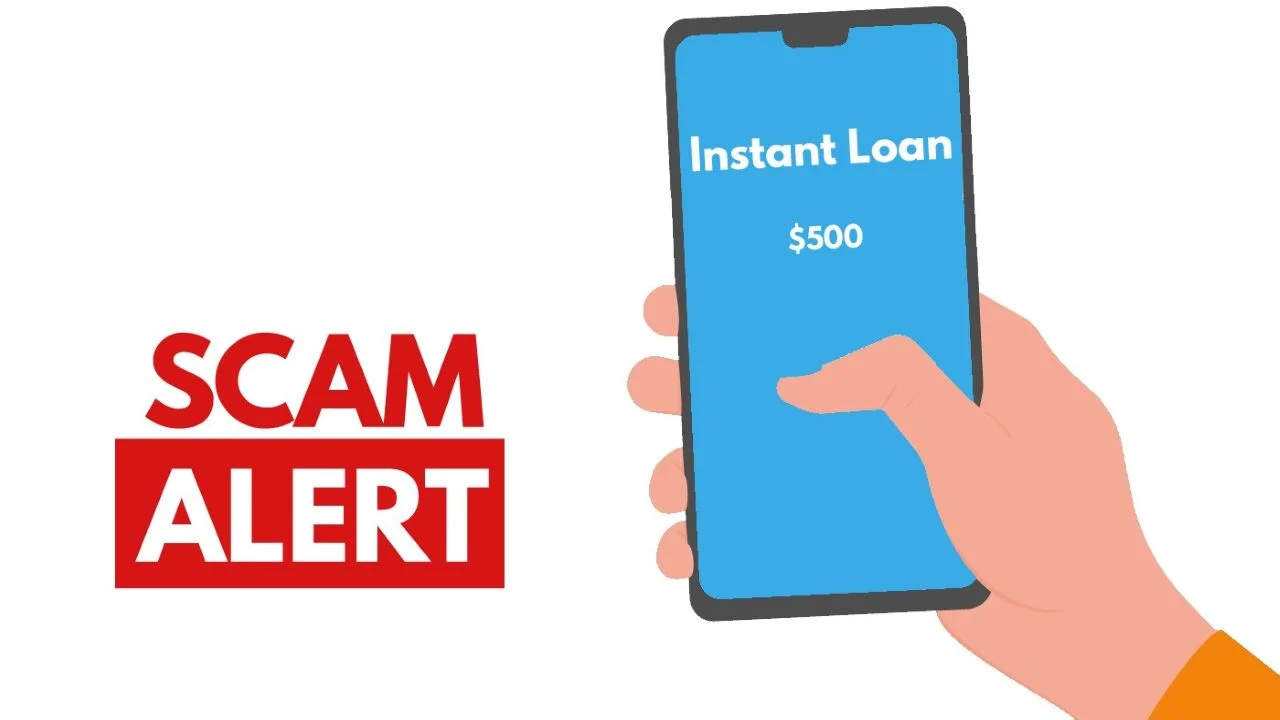
Online Loan Application Fraud

online-fraud-app

As mentioned before, millions of people do not have a job, so they do not have money coming in. This means that they either must take a loan or use their credit card. Lenders are tightening their credit control and making sure that they can get their money back and prevent fraud. With the situation going from bad to worse, we might see lenders loosen their credit control to facilitate users. But it can also open doors for online fraud. Online fraudsters can take advantage of this situation and use stolen records to open accounts to secure loans. Once they get these loans, they will run away with it.

Have you ever been a victim of online fraud? Share your experience with us in the comments section below.

WordPress Security Tips
Cyber Security Data Security

WordPress Security Tips To Make Your Website Healthy, Wealthy and Wisely

branex-logo Team Branex

According to Norton, the cost of a single data breach for a company in the USA is estimated to be $7.9 M. Unless you are Elon Musk or Jeff Bezos, this number should give you a heart attack, or at least prepare you to secure your website before hackers take control of it. As a professional website design agency, we develop hundreds of WordPress websites every year.

This is why we have to take special measures to address the problem of WordPress security and equip you with workable solutions that will prevent hackers from peeking and tweaking your website.

WordPress is one of the solutions that have gotten better with age and has become the primary choice of marketers, bloggers, and entrepreneurs who have something to sell online but don’t know where to begin.

Start with the WordPress login page

wordpress login

1. Avoid using “admin” as your username

Regardless of the level of hacker – the first loophole is the “admin” username. Even a toddler knows that the “admin” username is the primary user with all the access to the website. By default, you’ll be assigned the “admin” username, but instead of presenting the hacker with an easy breach you can change the default username by using an SQL query in PHPMyAdmin. Just ask your website developer and he will understand and rename the username to something else.

2. A Strong Password can save millions

This brings us to the second problem. Even if you have a strong username, hackers can pass the login page if the password is weak.

It is advised to use an alphanumeric username and password which can be 10 – 14 characters long. If you cannot think of something strong, try Strong Password Generator which will definitely generate a secured password for your WordPress website.

Don’t just rely on a one-time password. For security reasons, keep changing your password at regular intervals.

3. Utilize Two-factor Authentication

This is one of the most powerful methods to combat brute-force attacks. The brute force is a form of attack where the hacker tries unlimited combinations of usernames and passwords until they gain access to the website.

If you use two-factor authentication, it will be difficult for the hacker to break the password without first notifying you. The most basic form of two-factor authentication is to access the admin page, you require the combination of mobile code along with the password. Unless the hackers have access to both, they can’t access your website’s secured areas.

4. Personalize login URL

The easiest way a hacker can get access to your website is with the default login URL. With the default login URL - wp-login.php, it will be easy for a hacker to try brute force and gain access to your login credentials. 

You can either change the login URL manually or install the iThemes Security plugin to change your login URLs automatically.

5. Shift to HTTPS

It is a common practice of experienced website developers to switch their WordPress website to HTTPS to give an extra layer of security to their website. This will help your website to gain access from unreliable hidden scripts that are used to steal data from the login forum.

Even if you are not willing to switch to HTTPS, WordPress made it compulsory so that you can rank better in Google search results.

Increase your security on the WordPress Plugin

WordPress Plugin Security

1. Remove unnecessary Plugins

The worst mistake that website owners or excited entrepreneurs make is that they install too many plugins to make the website seamless and fast. But, sadly, they forget to uninstall the extra, unused plugins. What this does is open a gateway that hackers can use to breach security. If you don’t use a certain plugin, uninstall it at once. And don’t just uninstall it right away – the correct way is to deactivate the plugin and then uninstall it.

2. Update Them Regularly

One of the most convenient features of WordPress is notifying the owner when an update is due. When you do the core update of WordPress, ensure that the installed plugins are also updated accordingly. You have to do it manually, or if it seems difficult, you can then enable the auto-update feature that comes along with every plugin. 

The best advice is DON’T UPDATE IT YOURSELF. Ask a developer to do it for you. Why? Because you’ll never know if they have made customizations to the website that will be undone in case you update the plugin yourself.

3. Avoid Using Premium Plugins for FREE

There are tons of websites out there who claim to give Premium WordPress plugins for FREE. Avoid downloading plugins from those websites. Always, use WordPress's official website to download the premium version of the plugin.

Mostly, when you get a plugin from unknown plugin developers, hackers send a Trojan along with that plugin, and you really don’t want to hear what can happen next with your website.

So, make sure that you avoid downloading from illegal websites, torrents, or taking it from unverified developers.

4. Pick a strong hosting provider

Regardless of how many tips you use to secure your WordPress website; if the hosting server is not reliable, your website will always be in danger.

It is a known fact that out of 30,000 WordPress websites that are hacked daily, most of these websites share a weak hosting service provider. This means that choosing a reliable hosting server means a lot to maintain WordPress security.

For now, SiteGroundBlueHost, and HostNoc provide shared hosting with satisfactory security-driven features. But if you are willing to go for a dedicated hosting provider, that will be a wise option.

5. Safeguard the wp-config.php file

It is important to understand that the wp-config.php file contains all the necessary confidential information that a hacker needs to sweep off your website from the internet.

To add a layer of protection on your wp-config.php file, just include this code in your .htaccess file:

<Files wp-config.php>

order allow, deny

deny from all

</Files>

6. Deactivate directory listings

A wise developer will never place the index.html file in a new directory. Visitors can easily access the full directory listing from any particular directory. So, the best option is to disable directory listing access of the .htaccess file.

7. Cleverly change the directory permissions

If you are the website owner, you have the power to give or take access to directories. If you are not technically sound, it is best that you just give orders to your developer.

Ask your developer to change the directory permissions to “755” (readable by User, Group, and World, writable by User, executable by User, Group, and World). Or file permission “644” (the owner of the file has read and write access, while the group members and other users on the system only have read access).

Conclusion

You need security measures on your WordPress website. There are always going to be people seeking to inflict your business by hacking your websites. The best thing you can do is don't become a victim of a cyberattack and proactively prepare for the worst, so you know what to do if a hacker manages to make it past all of your defenses.

GDPR Affect Brands
Cyber Security Data Security

GDPR Explained What It Means for Your Brand

branex-logo Team Branex
The GDPR greatly influences the way brands manage the privacy and security of personal information, affecting all aspects from advertising approaches to day-to-day operations. However, by complying with GDPR, brands can enhance their reputation, build trust with their customers, and ensure the protection of their users' data, all while avoiding major penalties. Without consumer data, Facebook would be bereaved of its revenue model, marketing agencies would fail to calculate ROI accurately, and companies would not be able to keep tabs on their customers! However, here’s the catch, this corporate ownership of personal data has sown the seeds of misgivings between consumers and companies for decades, making concerns about security and privacy prevalent. Do you want to know what Google knows about you? Go to history.google.com and you’ll see how much Google knows about you. Yes, you can surely delete your activity and feel safe, but in reality, even when you delete your history, Google still stores your history on its server. Hold your horses – after the stillness and serenity of 20 years, the most important change in the history of data privacy is about to ruffle a lot of feathers.

What is GDPR?

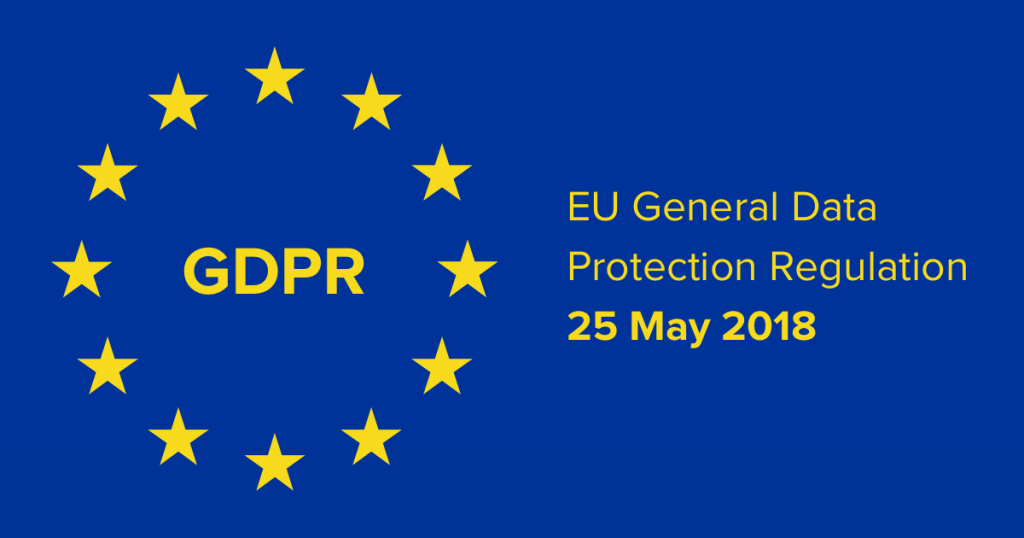
General Data Protection Regulation, is considered the most critical data privacy change since the year 1998. In the aftermath of the Cambridge Analytica & Facebook data scandal, sensitive personal customer information, clandestinely and slyly captured and retained by businesses, poses a significant threat to privacy. GDPR proposes a viable solution to this impasse. gdpr regulation GDPR is simply all about how consumer data should be used & protected. Adopted by the European Parliament in April 2016, it is to be fully enforced throughout EU in the May 2018. For now, GDPR will apply to everyone residing in the EU, whether they’re selling their products online or offering services to citizens who are present in the EU. GDPR is poised as a replacement for the European Union’s previous data directive, governing the usage, collection, and storage of consumer data, to grant consumers greater control and more protection over their personal data. As per the law, staggering fines – 4% of global revenues or €20 million – will be levied against organizations that do not comply with the law. Companies that have incurred data breaches due to slip-ups or those with less than stellar data protection practices are especially vulnerable to this law. While this momentous shift appears to be the cherry on top of the cake for consumers and their privacy, we wonder what it would mean for brands that have spent years fueling their entire marketing departments with hordes of consumer data. GDPR asks brands and organizations to justify 7 key areas that need to be attended to:

GDPR Asks Brands To Justify 7 Key Areas:

1. Consent

While obtaining data from the consumer, companies are not allowed to use ambiguous terms or forms to trick people into filling it out without letting them know the exact purpose of the data.

2. Breach Notification

Whenever there is a breach of consumer data, the company needs to notify the customer within 72 hours.

3. Right to Access

Whenever the company is willing to share any sort of data with a third party, it cannot do so without informing the user. Also, the data provider is required to send a personal data electronic copy to the consumer for free.

4. Deletion of Old Data

When the data of the consumer is no longer relevant or outdated, the consumer has the right to ask data controllers to erase the data.

5. Data Portability

Consumers are allowed to use their private data on various platforms without going through any hassle.

6. Privacy by Design

Companies are forced to create intelligent systems to protect the data privacy of their consumers.

7. Data Defense Officers

Professionally trained people must be selected by public authorities for systematic monitoring and handling of personal data.

Will GDPR Affect Marketing?

In the first phase, the GDPR law will only affect brands and businesses that are located in the EU. All marketers need to be aware of GDPR requirements. How data will be collected, processed, and deleted.

gdpr regulation are you ready?

1. Collecting Data

The core reason to implement GDPR is to maintain transparency between consumers and companies when it comes down to personal data. In this age, consumers want to know how, when, and where their personal data is being used, collected, and stored. A good thing about GDPR is that it will empower consumers to ask companies for the collection and usage of their personal data. The GDPR enforces companies to notify consumers whenever they plan to use their data anywhere on the internet. GDPR is not willing to opt out of consent to collect data by default. This means that whenever a user opens an account, makes a transaction, or even signs up for a newsletter, just ticking the box to collect all the data won’t fit the bill. Now, consumers will be allowed to decide whether to share, track and even use their personal data. This means that marketers will face a tough decision and will be required to come up with creative ways for consumers to opt-in for the things that they prefer and the data they are willing to share with the world.

2. Data Has Already Been Collected

The rules set by GDPR not only apply to data that will be collected after the law has been implemented in place, in fact, any previously collected data will also follow the same rules laid down by GDPR. So, in order to get maximum gain and user consent, companies need to meet the requirements set by the GDPR.

3. Processing Data

Once consumer consent has been acquired, is it of vital importance to use the data for that purpose only. If you try to share the data with any third-party software or anywhere else without obtaining permission from the consumer, you’ll face serious consequences. For instance, if the consumer has subscribed to receive an email newsletter, you can only do that. If you take that data to analyze the activity on your website, you’ll face serious penalties. Another important thing to remember while collecting data from the consumer is to ensure safe and secure storage of that data. This means storing data in a way which cannot be stolen, lost, or even compromised. If companies are keen on storing data, they are bound to use hardcore encryption methods which will keep the data safe from unauthorized access. Furthermore, this data is strictly for the purpose for which it was collected in the first place. For instance, the encrypted data cannot be accessed by any marketer to analyze the buying pattern of the consumer.

4. Deleting Data

On a final note, GDPR will govern how companies will forego data once a relationship has been established between the consumer and the company. To help secure the data, companies must devise a plan to delete the consumer data as soon as the purpose has been met. As mentioned earlier, GDPR will only allow the data to be re-used after the consent of the consumer. For using data other than the purpose defined, the company is required to take permission from the consumer. Similarly, if the consumer asks for a data update, the company is liable to respond to the request within a 30-day time frame. Any delay and the company will have to face a penalty.

The New Bond Between the Brand and the Consumer

Because the new policy entails a systemic tweak in how companies retain and collect consumer information, marketers and brands will be on the hook for every data retention, deletion, and collection decision they make. This will translate into a surprising level of transparency on the consumer side unheard of since the dawn of digital marketing. This also signifies that internal policies and processes will need to be redesigned and rethought in order to be compliant. In the end, GDPR is not all horns and fangs, it is about maintaining a transparent bond between the consumer and the brand. Businesses that are operating in the EU can surely read the rules that are set by GDPR and demonstrate that they agree to the terms and regulations. To wrap things up. GDPR is all about encouraging transparency & protecting the rights of EU individuals. Businesses that are willing to follow the rules set by GDPR will be able to create long-lasting relationships with their consumers. As a custom website development company, we have already taken the necessary measures to meet GDPR regulations. Furthermore, we guarantee our visitors and customers that the data we store is solely to sell services which customers need. We don’t sell or share any data with third-party websites or apps.
CopyCat Malware Infecting Android Devices
Cyber Security

Beware of CopyCat: A New Breed of Malware Infecting Android Devices

branex-logo Team Branex
According to the latest stats, a whopping 99.6% of new mobile phones run on the Android platform, powered by Google. With the positive advancements come the negatives as well, malicious malware being one of them. Just recently, malicious software named ‘CopyCat’ has infected millions of devices running on the Android operating system and has collected more than a Million Dollars as part of the fraudulent advertising and app installations. The news was first floated by an Israeli cybersecurity agency, Check Point Software Technologies, on Thursday, July 6th, 2017. CopyCat Malware Infecting Android Devices The details of this news are proudly brought to you by a professional branding agency in the USA. The malware operations that spiked during April and May of 2016 have spread to as many as 14 million handheld devices and have reaped as much as $1.5 million in only the space of those two months, said the researchers. The widespread use of the malware seems to be the result of third-party app stores and phishing attacks, rather than through the official Google Play app. Daniel Padon is a mobile security researcher at the firm that disclosed the news of CopyCat. He told Fortune that his team reported the operation of the malware to Google in March as soon as it was discovered. But at that time, Google had taken care of much of the problem. According to the estimates provided by Google itself, fewer than 50,000 devices have been affected to date by the malware. The search giant has since adopted protections to block the malware from gaining a foothold on Android devices, even for those running on older versions of the operating system. During the time when CopyCat was in full force, the malware gained control over 8 million devices and used the derived power to tap about 100 million bogus ads and install 4.9 million apps on other phones and tablets, generating substantial revenues for the criminal masterminds. CopyCat was able to achieve its goals by exploiting the security loopholes in Android Version 5 and earlier and then by hijacking a part of Android systems called “Zygote”, a software function that manages the launch of mobile apps within the device. Install Malware for Mobile Devices “This is the first of its kind adware that is discovered using this technique,” said the researchers at Check Point. Another adware that used a similar tactic to steal money, and is known as Triada, was discovered earlier by Kaspersky Lab, a Russian antivirus firm. As for CopyCat, it primarily affected devices in Southeast Asia, particularly in India, Bangladesh, and Pakistan, although approximately 280,000 people in the USA were also affected by the malware. The researchers also found out that the malware purposefully avoided targeting users who are based in China, this could be a clue leading to the perpetrators based in that region only and who were avoiding the investigation carried out by local security agencies. Check Point researchers have even traced the CopyCat campaign back to a three-year-old startup that is based in Guangzhou, China, called MobiSummer. The malware operators and this startup shared infrastructure, remote services, and code signatures. The researchers did not clearly comment on the fact whether MobiSummer is a wetting agent or not. "While these connections exist, it does not necessarily mean the malware was created by the company, and it is possible the perpetrators behind it used MobiSummer's code and infrastructure without the firm's knowledge," the researchers said. MobiSummer, however, did not immediately respond to Fortune’s request for information. Aaron Stein, a Google spokesperson said that the company has been keeping tabs on a variation of CopyCat malware for a couple of years now. He further added that Google Play Protect, a security feature formalized by the company in May which scans and removes malicious malware apps from the phone would now immunize phones against these infections even when they are operating on the older version of the Android operating systems. "CopyCat is a variant of a broader malware family that we’ve been tracking since 2015. Each time a new variant appears, we update our detection systems to protect our users," Stein said. "Play Protect secures users from the family, and any apps that may have been infected with CopyCat were not distributed via Play. As always, we appreciate researchers’ efforts to help keep users safe." Fraudulent advertising and online scams have become a lucrative way for scammers to make easy money online. Last year only, Checkpoint reported having uncovered several other ad frauds that included “Hummingbird,” which earned its creators a whopping figure of $300,000/month. Another one from the category named “Gooligan” stole authentication tokens from more than 1 million Google accounts. The other 2 more recent scams include “Methbot” and YiSpecter, which stole up to $5 million/day. These two targeted Apple, to be precise. This news is part of Branex mission of informing its clientele about the malware and the atrocities running in the online world. We urge everyone to keep their antivirus software updated and install one in their hand-held devices if you haven’t till today.
Ransomware Attacks on SMBs
Cyber Security Data Security

Ransomware Attacks: Why Data Backup is Must For Small and Medium-Sized Business

branex-logo Team Branex
In the wake of recent “WannaCry” Ransomware attacks, hundreds of thousands of computer systems have been affected around the world. This has raised one important question: “Are our data backup systems enough to ensure data security, privacy, and integrity?” Of course, large corporations already have disaster recovery systems in place to ensure data security, but are small and medium-sized businesses ready to cope with such disasters? There are many ways which cyber attackers employ to infect the systems. The two types which were evident in the WannaCry debacle were the use of phishing emails and a faulty security patch for Windows XP. This is just one of the many threats that SMBs face as most of their data is not on the cloud or redundant backups because of cost constraints. WannaCry ransomware, now, has infected over 230,000 computers worldwide. It affected big conglomerates like Telefonica and FedEx. In Britain, the virus has wreaked havoc in the National Health Services network disrupting surgical procedures. The scale at which this attack was carried out is unprecedented in the history of cyber-attacks, as described by Europol. WannaCry Ransomware Attacks A backup plan can save you, small business owners, from lots of adverse scenarios. However, according to the latest report based on a survey by CloudBerry Lab, a whopping 49% of Internet users don’t do any type of data backup. However, 11% more business users than individuals have implemented automated backup systems and 20% more business users perform daily backups. These are very depressing stats, to say the least, as businesses seem to be doing much less than what they should be doing in this regard.

Frequent

The frequency of data backup should be uniform as setting up an ongoing backup plan for small and medium businesses ensures they always have the latest copy of the files available in case things go south.

Easy & Simple

In ancient history, backing up your data was a complex process as not everyone was able to conduct the process totally on his own. It required copying data to tapes and later tapes were replaced by diskettes. Now you don’t have to fret a lot as there are quite a few companies that offer cost-effective backup services. So, business owners have no valid excuse now for not going for data backup.

Off-Site

The process of data backup won’t have far-reaching consequences if at least one of the copies is not stored off-site. The cloud-based backup comes into play here. In this way, a business owner can be spared from taking the external hard drive with them all the time. In using a cloud-based data backup, it can be remotely stored anywhere across the globe. As a business owner, you can also have the luxury of choosing that location. It is a good ploy to save the data to a different region or country because in case a disaster happens or war begins, you can easily retrieve the data from that unaffected region rather than choosing your same city or region.

Secure

Cloud-based backup services offer greater security than backing up data onto your servers. It doesn’t mean, however, that cloud backup is foolproof. Choosing a business-class solution for greater security is a good bet rather than a consumer backup or free service. This aspect, however, depends on the funds that you’ve allocated for backing up mission-critical data. So, choose a data backup solution that fits your budget. Data Backup Solution There can be specific industry security standards, like HIPAA regulations, that some businesses require. If your venture also falls in the same category, be sure to ask your service provider to offer you that level of security.

Swift Recovery

The last factor is about how quickly you can retrieve the data, that is, how quickly you can access your backup when you really need it the most. Some services allow you to get it quickly, while others may require a 24-hour turnaround time. Even a few hours can be too long in some cases, so you need to check this aspect too before finalizing the cloud-based data backup service. The quicker the recovery is, the more it’s going to cost you. But it’s always good to invest in this to protect yourself against ransomware attacks similar to WannaCry that we’re witnessing these days.

Final Word

You need to assess all your requirements before finalizing your data backup plan. Hackers are always altering their techniques to defeat anti-viruses and firewalls by exploiting the system’s vulnerabilities, so protecting against ransomware can be difficult for small businesses. Therefore, going for professional help is always the best option. But if you feel you can handle it yourself, then installing robust antivirus programs, firewalls (both software and hardware), and implementing strong data backup plans can help minimize the severity of such attacks.
whatsapp